A web-based ERP built by RO AI Automation for Genexa Pharma, bringing sales, inventory, collections and accounts into one role-based system.

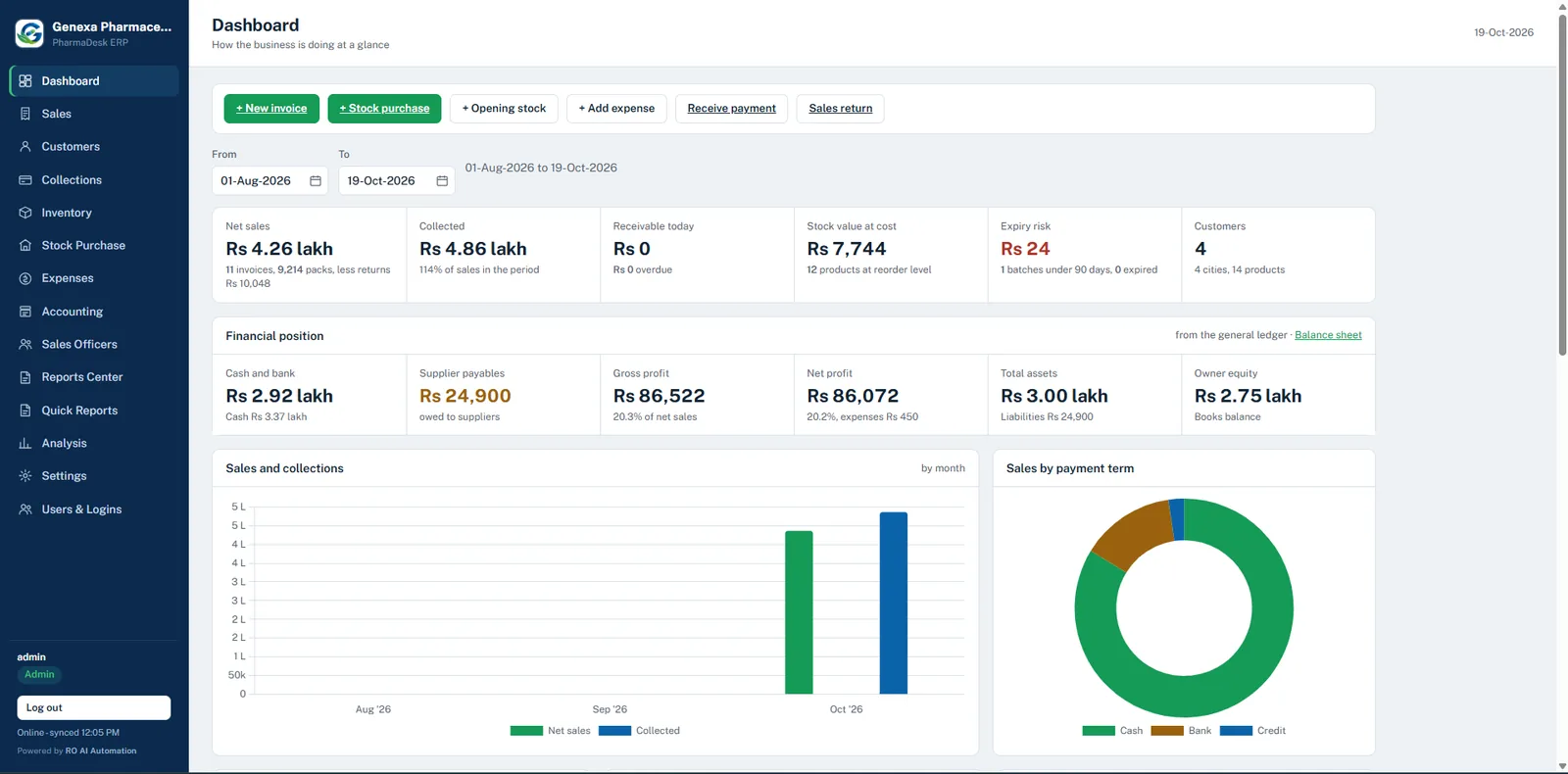
The PharmaDesk dashboard: quick actions, key figures, financial position and sales charts.
Genexa Pharma needed one system to run its day-to-day pharmaceutical operations: sales invoicing, batch-level stock, customer collections, expenses and accounts, with each sales officer and manager seeing only the parts of the system relevant to their role.
RO AI Automation designed and built PharmaDesk as a web-based ERP. Staff sign in by role, and every module works from the same records.
The dashboard opens with one-click actions for the most common jobs (new invoice, stock purchase, opening stock, expense, payment receipt and sales return) and a date filter for any period. Below that sit net sales, collections, receivables, stock value, expiry risk and customer count.
A financial position panel is built from the general ledger: cash and bank, supplier payables, gross and net profit, total assets and owner equity. Charts track sales against collections by month and sales by payment term.
Sign-in is role-based, so each role sees only the modules it needs, while the Super Admin sees everything. Navigation is a simple module menu on the left with the dashboard as the starting point, and admins manage users and logins from inside the system.
A web-based application used from a browser, with role-based user accounts and a ledger-based accounting layer. Designed, built and maintained by RO AI Automation.
Sales, stock, collections and accounts now work from one connected system. Management can see sales, receivables, stock value, expiry risk and profit on a single screen, with the financial figures drawn directly from the general ledger.
Tell us what your team is doing manually — we'll show you what a system like this would look like for you.
Hi. What would you like to automate?
Contact helper — not a live AI agent RO AI AUTOMATION